I’m a big fan of OpenID, and the concept of a unified login system, but the implemention of OpenID on many of the websites that use it is often miserable. This article can simplify your OpenID login experience.
NOTE: If you want to skip all my chatter and explanation and just get to the code, check out Jeff Atwood’s post on the StackOverflow blog. It’s much less verbose, but probably not ideal for people unfamiliar with OpenID.
What is OpenID?
OpenID is “a decentralized authentication protocol that makes it easy for people to sign up and access web accounts”. That means if you create an account on any website using OpenID (such as Google, Yahoo, Flickr, MySpace, AOL, WordPress.Com, LiveJournal, Get Satisfaction, and more recently Facebook, to name just a few), you can use that account to login to any website using OpenID. It attempts to simplify logging into websites by using one account, and therefore not having to create a new username and password set for every website on which you wish to create an account.
Many studies have shown that the average web user feels overwhelmed by the number of usernames and passwords they have to remember, which means they often end up using very simple paswords that are easy to remember, and often use the same password for multiple websites.
This is, of course, a big no-no. If one of the websites gets compromised and user login data is exposed, malicious parties now potentially have access to all of the websites for which the user has used the same password. So if my BigButtPorn.Com account gets hacked, and I use the same login for my bank, my banking login credentials are now compromised. Unifying a login makes user registrations easier, so people will arguably be more apt to use a strong password for that one OpenID account. (I should mention that I have no idea if BigButtPorn.Com exists, or if it uses OpenID. As such, the example above should not be considered an endorsement for BigButtPorn.Com, or any other kind of butt porn, for that matter.)
Incidentally, in this day and age, there is absolutely no reason for anyone to still be using the same password for ANY two websites. Thanks to applications like 1Password, hard-to-guess passwords are automatically generated and stored for easy access, and every popular web browser allows you to store passwords. Remembering passwords isn’t even something people should be concerned with.
How Does it Work?
If I have a Livejournal account where my journal address is snipeyhead.livejournal.com and I want to use my LiveJournal OpenID to login to a different website, I would enter snipeyhead.livejournal.com in the OpenID url field of the site:
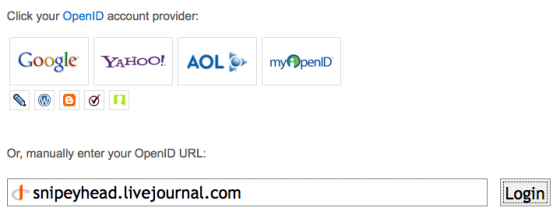
(Alternatively, if the OpenID provider’s icon is listed, as LiveJournal’s is above, I could login without knowing my OpenID url. Most OpenID logins will give you the option of selecting which service you’d like to use, or manually entering your OpenID url.)
If this is the first time I’m using this OpenID account to login to this particular website, I’ll be taken to my OpenID provider’s website (in this example, Livejournal.Com) and I’ll be asked if I want to allow the website to use my OpenID account to authenticate. I will then confirm this, and be taken back to the original website I’m trying to login to.
Pretty simple, right? Unfortunately, this is often not as straightforward as it seems, not because of OpenID itself, but because of the way many websites implement their OpenID system.
Where it Gets Wonky
The way many websites implement OpenID can be utterly maddening, if you have more than one OpenID account – which you probably do.
I was recently on the UXExchange website and was nearly apoplectic with rage as I tried OpenID after OpenID account. I know I have an account there. I have had an account there since the day they launched. But I have NO idea which OpenID I created my account with.
After the 5th try, I gave up and realized I’d have to create a new account. This pissed me off for a few reasons, not the least of which being that in this particular community, prior community engagement (the number of questions you’ve posted and answered, etc) establish your rank. By creating a new account, I’m effectively seen by the community as a newbie, and I’m enough of a nerd that stuff like that matters to me.
Ironically, UXEchange is a usability and information architecture community. I know that I can email them to consolidate my accounts, and I probably will, but this experience really helped underline how easy it is to screw up the user interface for OpenID.
In short, the problem becomes remembering which out of the collection of OpenIDs you have is the one you’ve used to initially create an account with a particular website.
Making it a Little Easier
To use OpenID without losing your mind, you have a few options. The easier would be to decide that you will only ever use one specific OpenID to login to third-party websites, and leave it at that. The problem I have with that is that mainstream adoption of OpenID has happened over a very long period of time, so I may have started off with only LiveJournal as an OpenID account, but then gradually Google, Blogger, Myspace, etc added OpenID support, so I decided that I’d rather use one of the newer ones instead of my LiveJournal account. This is how things got fragmented and confusing for me, and I would assume other people as well.
Fortunately, there is a little known feature of OpenID called delegation that can help save your sanity. If you have your own website with it’s own domain name, you can delegate your own domain name to act as your OpenID.
I decided to start from scratch. I don’t know if I’ll always have my LiveJournal account, I don’t know how much I trust Google anymore, I hate MySpace, I don’t use Blogger, and so on. I created an account at myopenid.com, a very simple OpenID provider that is easy to remember and offers persona managament.
A 20-second registration later, I was set up with snipe.myopenid.com as my new OpenID identifier.
To enable my domain, snipe.net, to act as a delegate for MyOpenID.Com, I added the following to the header of Snipe.Net:
[sourcecode=’html’] 2. 3. 4.[/sourcecode]Now, instead of trying to remember which OpenID provider I used, I use ‘snipe.net’ as my OpenID manual url, and it automatically knows to use my account at MyOpenID to authenticate. Since I’m the only one that has control over Snipe.Net, I’m the only one that can delegate Snipe.Net as snipe.myopenid.com.
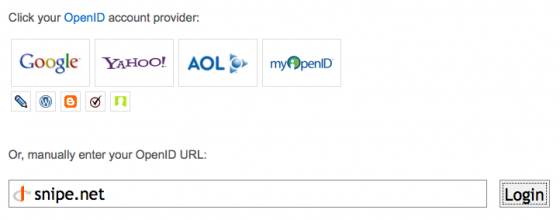
So that’s all there is to it. I have heard that delegating using Google and Yahoo is tricky, if not impossible, but I haven’t looked into it. I personally prefer to avoid letting either of those companies have too much of a reach over what I’m commenting on and where.


